Quick start
This walkthrough builds a small blog: one content type, one post, and the API call that returns it. It assumes NodePress is installed and running at http://localhost:5173.
1. Create a content type
Section titled “1. Create a content type”A content type describes one kind of content, like a blog post or a product.
-
In the admin, open Content Types → New Content Type.
-
Name it
Blog. The editor shows the API endpoint as you type:/api/blog. -
Click Add Field and add:
Name Type Title Text (tick Required) Cover Image Body Rich Text -
Save.
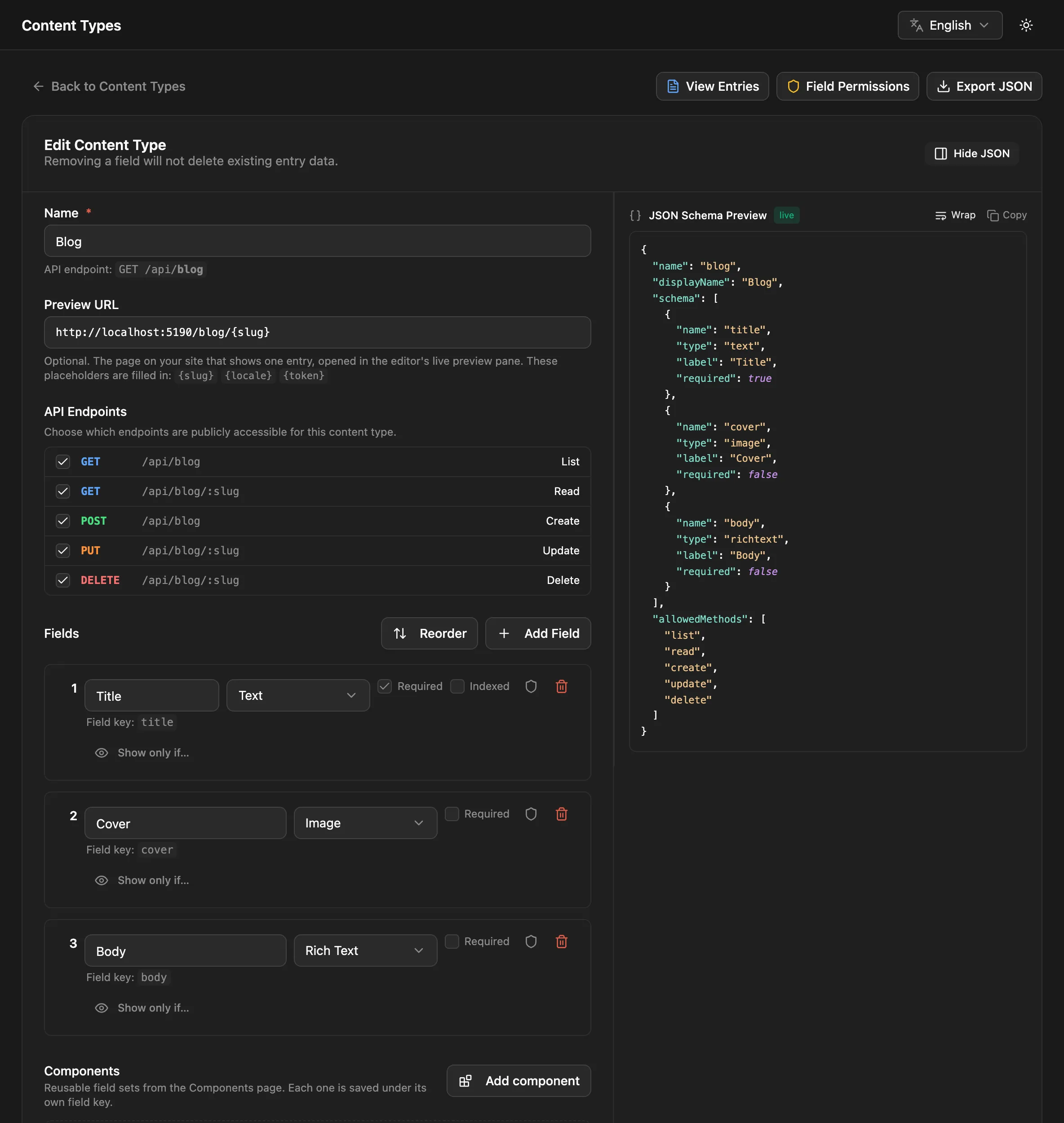
The name you type is kept as the label editors see. The field key used in the API is derived from it in snake_case, so a field named “Cover Image” is stored as cover_image. The editor shows each key under its field.
2. Write an entry
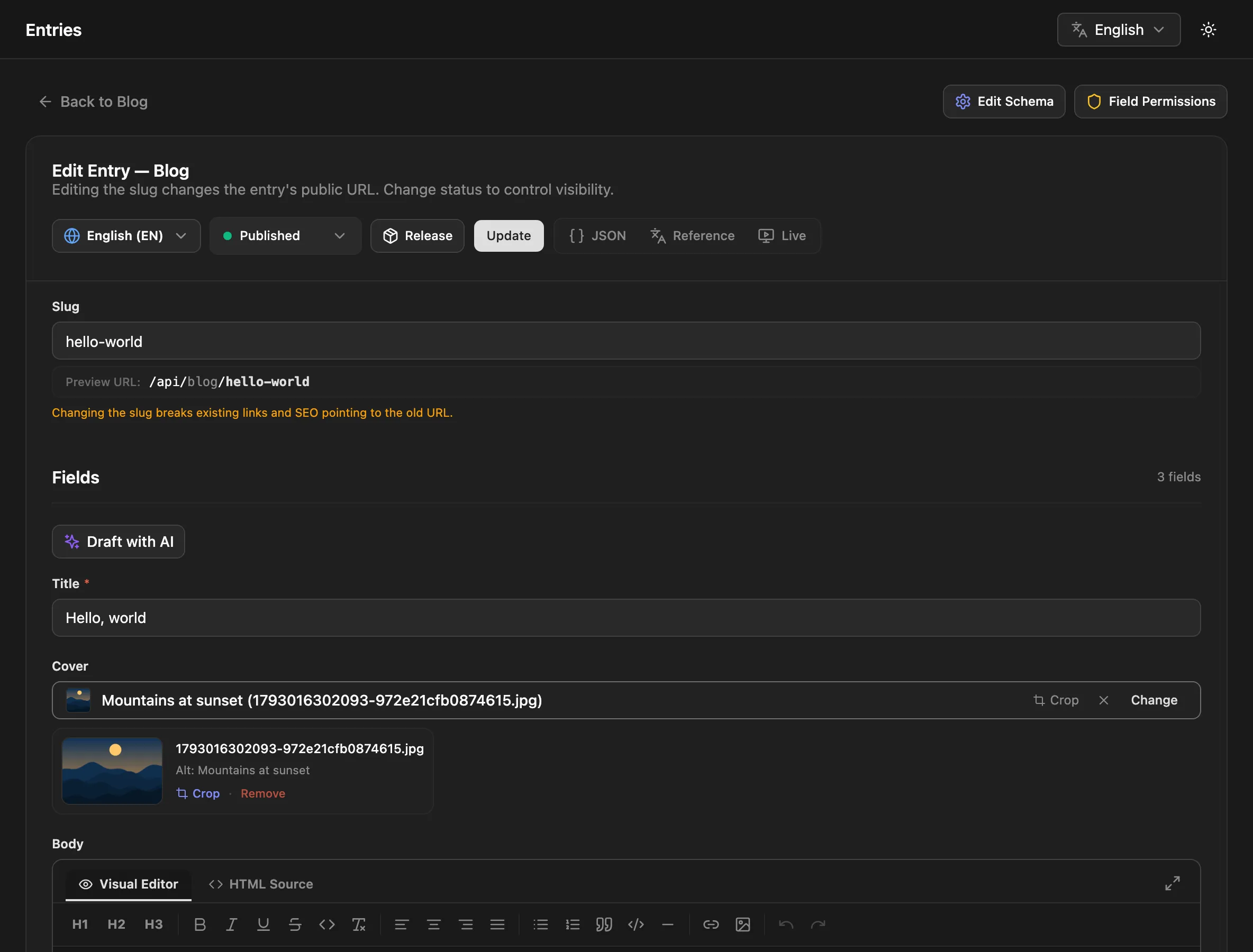
Section titled “2. Write an entry”- Open Entries, pick Blog and click New Entry.
- Fill in the title, choose a cover image (upload one or pick from the media library) and write something in the body.
- The slug, the entry’s address, is filled in from the title:
hello-world. You can change it. - Leave the status on Published and click Publish.
3. Read it from the API
Section titled “3. Read it from the API”Published entries are public, so no key is needed to read them:
curl http://localhost:3000/api/blog{ "data": [ { "id": "8c0f8e6e-5b1a-4a39-9d62-0f3c2b6a1d44", "slug": "hello-world", "locale": "en", "data": { "title": "Hello world", "cover": { "url": "http://localhost:3000/uploads/1730000000000-3f2a9c1e.jpg", "alt": "" }, "body": "<p>My first post.</p>" }, "seo": null, "createdAt": "2026-10-26T09:00:00.000Z", "updatedAt": "2026-10-26T09:00:00.000Z" } ], "meta": { "total": 1, "page": 1, "limit": 20, "totalPages": 1, "nextCursor": null }}Fetch one entry by its slug:
curl http://localhost:3000/api/blog/hello-worldYour field values are under data, next to the entry’s own properties. id is the entry’s permanent public ID, which stays the same if the slug changes.
4. Query it
Section titled “4. Query it”The list endpoint takes filters, sorting and paging in the URL:
# Posts whose title contains "hello", newest firstcurl 'http://localhost:3000/api/blog?where[title][contains]=hello&sort=createdAt:desc'
# Full-text searchcurl 'http://localhost:3000/api/blog?search=first'
# Only some fieldscurl 'http://localhost:3000/api/blog?fields=title,cover'
5. Use it from your site
Section titled “5. Use it from your site”The JavaScript client wraps the API with types:
npm install @nodepress-cms/clientimport { createClient } from '@nodepress-cms/client';
const cms = createClient({ url: 'http://localhost:3000' });
const blog = cms.collection('blog');
const { data: posts } = await blog.list({ limit: 10 });const post = await blog.get('hello-world'); // null if there's no such entryPrefer GraphQL? The same content is at http://localhost:3000/graphql, with a type generated for each content type.
Next steps
Section titled “Next steps”- Core concepts: content types, entries, statuses and locales.
- Fields: every field type and its options.
- Nested fields: repeaters, groups and flexible page-builder blocks.