API keys
An API key lets an application or script use the API without a user login: a site build that reads drafts, a mobile app that posts entries, a CI job that syncs schemas. You send it in the X-API-Key header.
Published content of public content types needs no key at all. Use a key when you need to write, read unpublished content, or use site-wide tooling routes.
Only admins can create and revoke keys.
Creating a key
Section titled “Creating a key”- Open API Keys and click New API Key.
- Enter a Key Name, such as “Next.js Frontend”.
- Pick an Access Level and the Allowed Content Types.
- Click Create Key and copy the key.
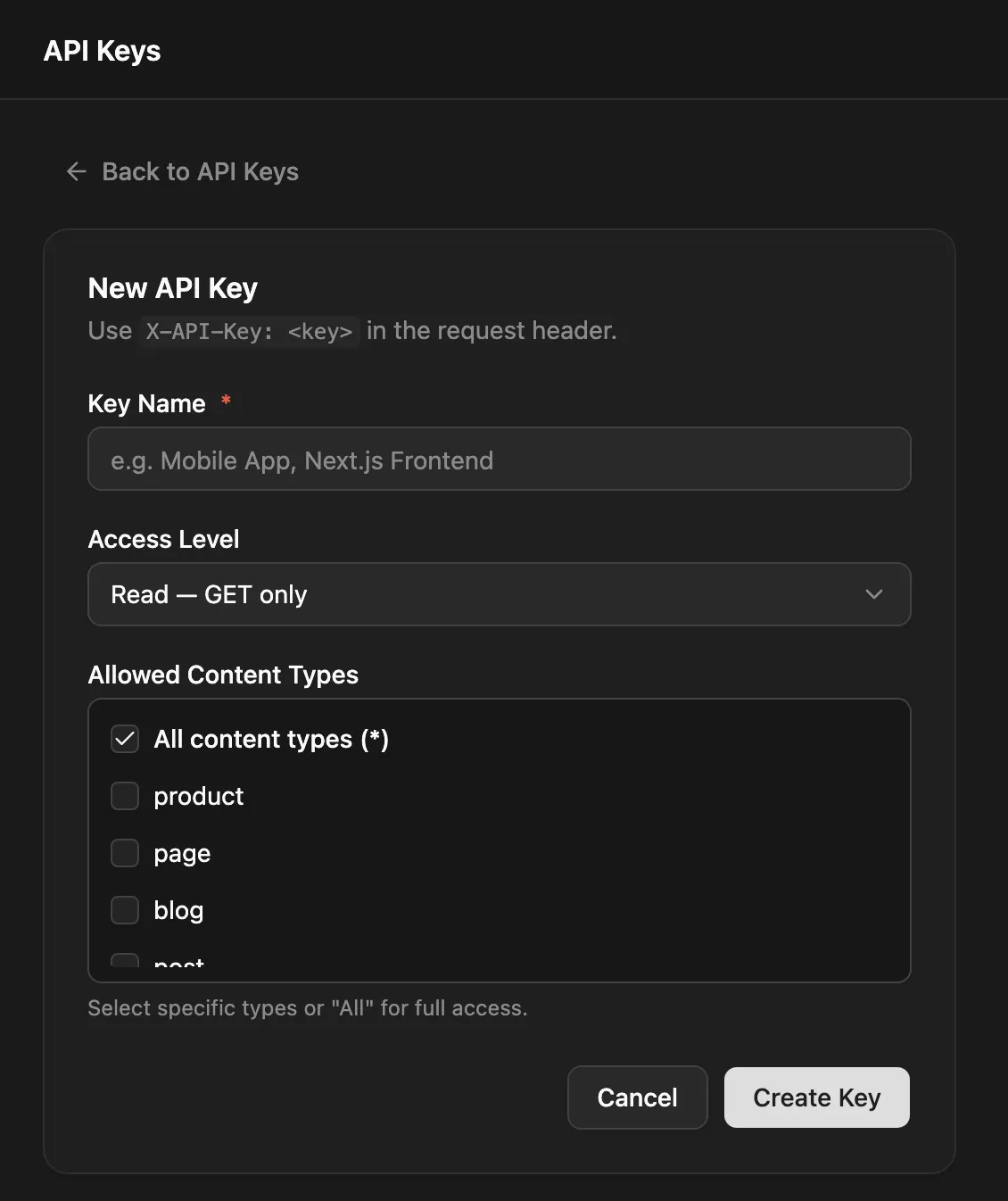
Keys look like np_ followed by 48 hex characters. The list shows each key shortened with its access, content types and Last Used time, and admins can copy the full key from there.
curl -X POST https://cms.example.com/api/api-keys \ -H "Authorization: Bearer $TOKEN" -H "Content-Type: application/json" \ -d '{ "name": "Next.js Frontend", "permissions": { "access": "read", "contentTypes": ["blog", "pages"] } }'Access levels
Section titled “Access levels”| Access | Can |
|---|---|
read |
Read, including unpublished stages (?stage=draft, staging, all) |
write |
Everything read can, plus POST, PUT and DELETE /api/:type |
all |
The same as write on the content API. With ["*"] as its content types, also the site-wide schema routes below |
A read key on a write route gets 403 “This API key is read-only”.
Content type scope
Section titled “Content type scope”contentTypes lists the content types the key covers, or ["*"] for all of them. Either URL form of a name works: a key for blog_posts also covers /api/blog-posts.
A request for a type the key doesn’t cover gets 403:
{ "statusCode": 403, "message": "This API key does not have access to content type \"pages\"", "error": "Forbidden" }A key can’t be edited. To change its access, create a new key and revoke the old one.
Using a key
Section titled “Using a key”# Read drafts of the blogcurl -H "X-API-Key: np_…" "https://cms.example.com/api/blog?stage=draft"
# Create an entrycurl -X POST https://cms.example.com/api/blog \ -H "X-API-Key: np_…" -H "Content-Type: application/json" \ -d '{ "slug": "hello", "status": "draft", "data": { "title": "Hello" } }'See REST API for the request and response formats.
- An invalid key is refused with
401where a key is checked. On a published read, which needs no credentials, the header is ignored. - Writes made with a key aren’t subject to role permissions; the key’s access and content types are the limit.
- A key reads like the public. Fields with read rules are hidden, and fields with write rules can’t be set.
- Keys also work for the realtime API and the MCP server.
Full-access keys for tooling
Section titled “Full-access keys for tooling”Schema export and import (GET /api/content-types/export, POST /api/content-types/import) accept an API key only when it has all access and ["*"] as its content types. Any narrower key gets 403. This is the key the schema commands use in CI.
Treat a full-access key like an admin password: it can reshape the whole content model.
Rate limits
Section titled “Rate limits”Each key has its own limit, per 60-second window:
| Access | Requests per minute |
|---|---|
read |
120 |
write |
60 |
all |
120 |
The limit counts requests where the key is checked: writes, unpublished-stage reads and the schema routes. Responses to those requests carry:
| Header | Meaning |
|---|---|
X-RateLimit-Limit |
The key’s limit |
X-RateLimit-Remaining |
Requests left in the current window |
X-RateLimit-Reset |
Seconds until the window resets (60) |
Past the limit you get 429 with Retry-After: 60. Requests made with a login token instead of a key aren’t counted against any key. The server’s general per-IP rate limit applies as well.
Revoking a key
Section titled “Revoking a key”Click Revoke on the key’s row. Applications using it lose access immediately.
All routes need an admin JWT.
| Method | Path | What it does |
|---|---|---|
GET |
/api/api-keys |
Lists keys with name, key, permissions, createdAt, lastUsedAt |
POST |
/api/api-keys |
Creates a key: { name, permissions: { access, contentTypes } } |
DELETE |
/api/api-keys/:id |
Revokes a key |
Creating and revoking keys is recorded in the audit log.