Languages
NodePress can hold the same content in several languages. Each entry has a locale, and translations of an entry share its slug: hello-world in English and hello-world in French are two entries of one content type, linked by that slug.
Enabling languages
Section titled “Enabling languages”Admins set the languages under Settings → Languages.
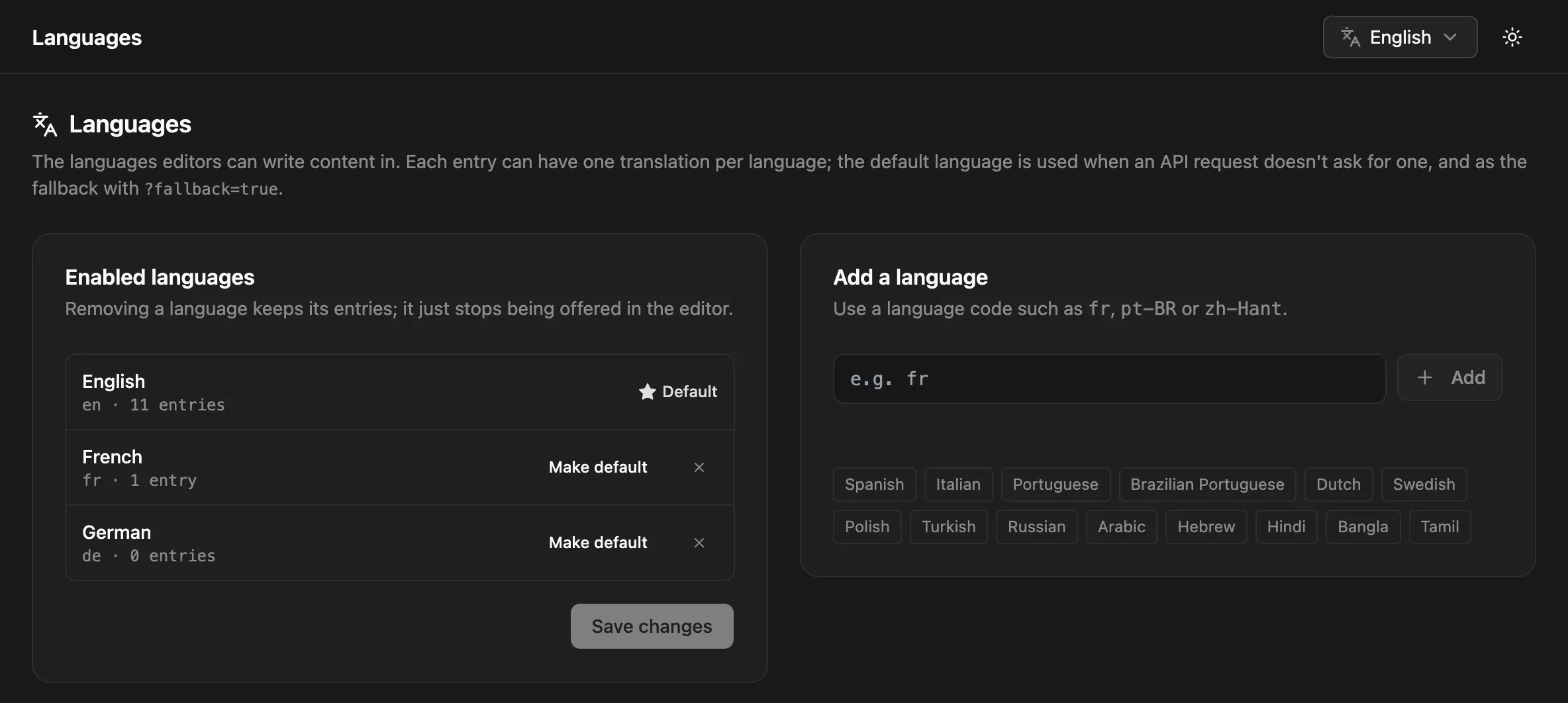
- Add a language takes a language code such as
fr,pt-BRorzh-Hant(up to 50 languages). Codes are stored in their standard casing, sopt-brbecomespt-BR. - Make default sets the default language. It’s used when an API request doesn’t ask for a language, and as the fallback with
?fallback=true. - Removing a language keeps its entries. It only stops being offered in the editor. The page shows how many entries each language has, and lists languages that have entries but aren’t enabled, so you can enable them again.
A new install has one language, en.
Translating in the editor
Section titled “Translating in the editor”In the entry editor, the language menu in the toolbar lists the entry’s translations with their status.
- Add Translation creates the entry in another enabled language as a draft, with a copy of the current content to translate. If the translation exists already, the editor opens it.
- Reference shows another translation next to the form while you write. Copy Empty Fields from … fills the fields you haven’t filled yet from that language.
When you create a new entry, pick its language in the language selector. It starts on the default language.
The entries list has a language filter, and its language column shows which translations exist for each entry and which are missing.
Each translation is a separate entry with its own status, versions and SEO fields. Publishing the English version doesn’t publish the French one.
Reading translations from the API
Section titled “Reading translations from the API”| Request | Returns |
|---|---|
GET /api/blog/hello-world |
The entry in the default language |
GET /api/blog/hello-world?locale=fr |
The French entry, or 404 if there is none |
GET /api/blog/hello-world?locale=fr&fallback=true |
The French entry, or the default-language entry when there’s no French one |
GET /api/blog |
Entries in all languages |
GET /api/blog?locale=fr |
French entries only |
GET /api/blog?locale=fr&fallback=true |
French entries, plus default-language entries that have no published French translation |
Every entry in a response has its locale, so you can tell which language you got:
{ "id": "8c0f8e6e-5b1a-4a39-9d62-0f3c2b6a1d44", "slug": "hello-world", "locale": "en", "data": { "title": "Hello world" }, "seo": null, "createdAt": "2026-10-26T09:00:00.000Z", "updatedAt": "2026-10-26T09:00:00.000Z"}Single-entry reads also send a Content-Language header with the locale that was served. With ?fallback=true it differs from the ?locale= you asked for when the fallback was used.
The JS client can set locale and fallback once for every request.
Languages in URLs on your site
Section titled “Languages in URLs on your site”NodePress doesn’t render your site, so how languages appear in your URLs is up to you (/fr/blog/hello-world, fr.example.com, …). Two features need to know:
- The content type’s Preview URL can include
{locale}. - Automatic redirects put
/{locale}in front of the path for entries that aren’t in the default language, unless the Preview URL gives the path.
Languages API
Section titled “Languages API”| Method | Path | Who | What |
|---|---|---|---|
GET |
/api/locales |
Public | { "defaultLocale": "en", "locales": ["en", "fr"] }, default first |
PUT |
/api/locales |
Admins | Set { "defaultLocale": "en", "locales": ["en", "fr", "de"] }; the default must be one of the languages |
GET |
/api/locales/usage |
Editors, admins | Number of entries per locale |
POST |
/api/entries/:id/translate |
Contributors, editors, admins | { "targetLocale": "fr", "copyData": true } creates a draft translation, or returns the existing one |
GET /api/locales is cached on the server for up to a minute. Saving the languages clears that cache.