OpenAPI
NodePress describes your content API as an OpenAPI 3.1 document, generated from your content types. Use it to browse and try the endpoints, generate a client in any language, or import the API into tools such as Postman or Insomnia.
The document
Section titled “The document”curl http://localhost:3000/api/openapi.jsonGET /api/openapi.json is public and needs no credentials. It’s rebuilt whenever a content type changes, so it always matches the current schemas. On setups with several backend instances, each instance checks for changes on every request.
The server URL in the document is APP_URL + /api, so set APP_URL to your backend’s public address in production.
What it contains
Section titled “What it contains”For each content type, the document has:
-
Paths for the operations its API Endpoints allow:
GETandPOSTon/{type}, andGET,PUTandDELETEon/{type}/{slug}. Private content types are left out entirely. -
Parameters for each operation: paging, sorting,
where,search,fields,populate,locale,fallback,stageand theX-NodePress-Environmentheader on reads. -
Schemas built from its fields, named after the content type (
blog_post→BlogPost):Schema Describes BlogPostan entry as the API returns it BlogPostDataits dataobjectBlogPostLista list response with dataandmetaBlogPostInputdatafor a create, with required fields markedBlogPostUpdateInputdatafor an update, nothing required -
Responses with their error codes (
400,401,403,404,409,422). -
Security schemes:
ApiKey(theX-API-Keyheader) andbearerAuth(a JWT). Reads list “no credentials” as an option; writes need one of the two.
The document describes what an anonymous caller sees. Fields with read roles are left out of the read schemas, and fields with write roles are left out of the inputs, because the public API refuses them. Operations are grouped by tag, using each content type’s display name.
Swagger UI
Section titled “Swagger UI”Two interactive references come with the backend:
| URL | Shows |
|---|---|
/api/docs/content |
your content API, from /api/openapi.json |
/api/docs |
the full NodePress API: authentication, content types, entries, media, forms, webhooks and the rest of the admin API |
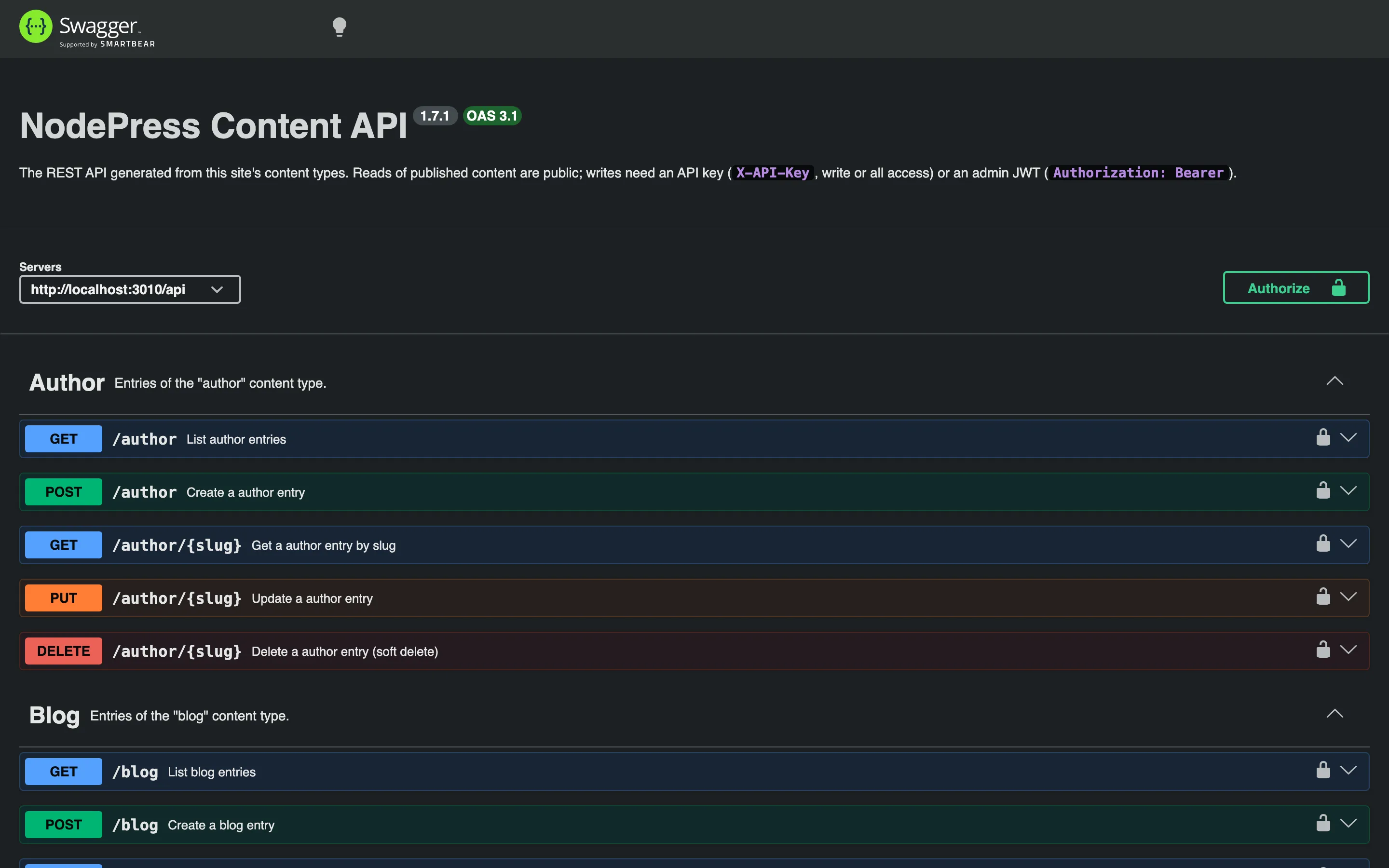
Both have an Authorize button that the UI remembers between page loads. On /api/docs/content you can paste an API key or a JWT to try writes and unpublished stages; /api/docs takes a JWT, which you get from POST /api/auth/login. The content reference picks up content type changes on reload, without a restart.
Generating a client
Section titled “Generating a client”Any OpenAPI 3.1 generator can turn the document into a typed client:
npx openapi-typescript http://localhost:3000/api/openapi.json -o types/nodepress-api.tsFor JavaScript and TypeScript, the JavaScript client together with generate:types is usually simpler.