Starter templates
Starter templates create a set of related content types for a common kind of site, so you don’t start from an empty schema. They can add a few sample entries too, to give you something to fetch from your site straight away.
Applying a template
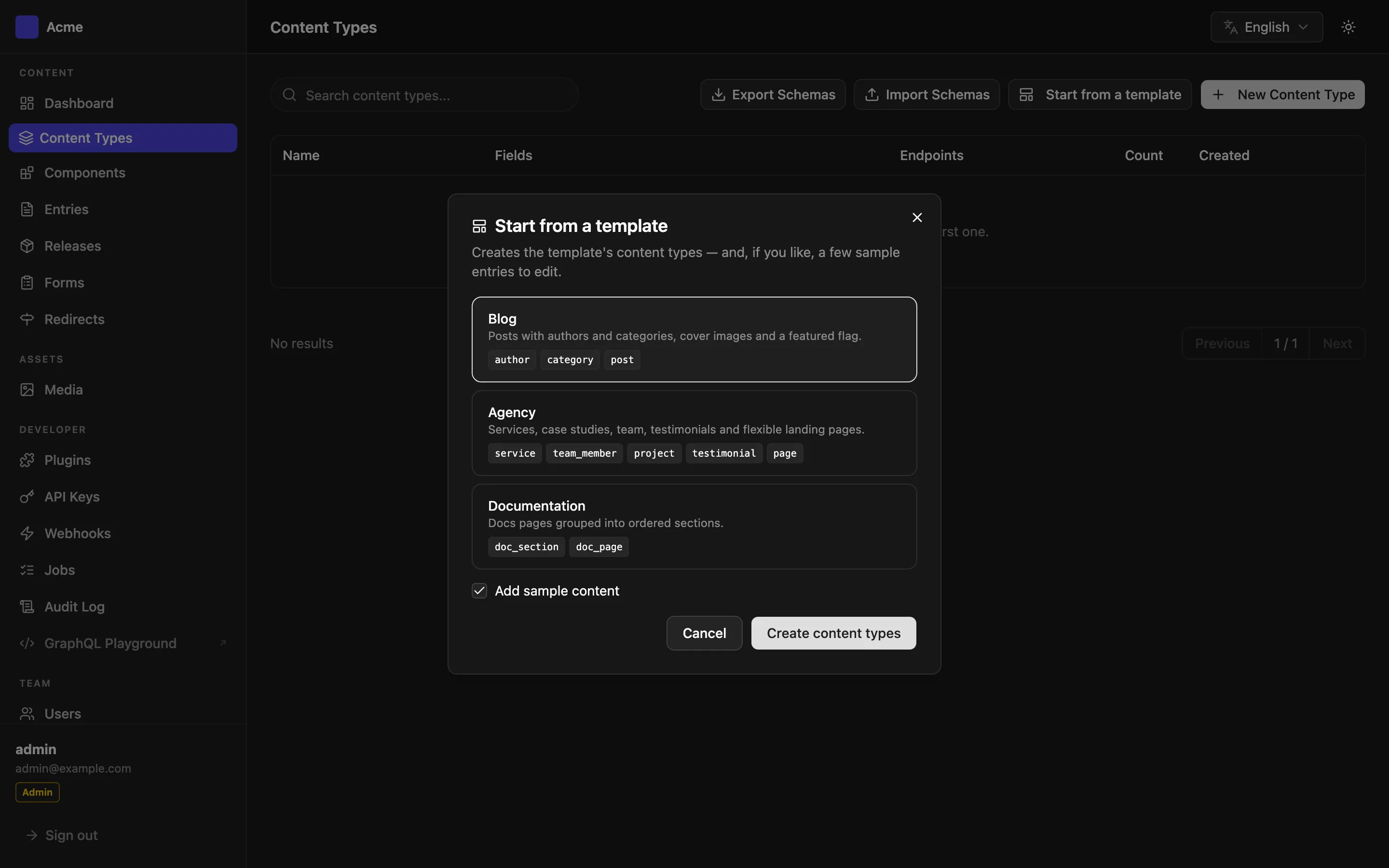
Section titled “Applying a template”- Open Content Types and click Start from a template. (Admins only.)
- Pick Blog, Agency or Documentation.
- Leave Add sample content on to create sample entries, or turn it off for empty content types.
- Click Create content types.
A template only creates new content types. If any of its content type names already exists, nothing is created and you get an error naming them, so a template is never applied halfway over your own content.
Once applied, the content types are ordinary ones: rename fields, add fields or delete types as you like.
Posts with authors and categories, cover images and a featured flag.
| Content type | Fields |
|---|---|
author (Author) |
name (required), bio, avatar (image), posts (reverse relation: the author’s posts) |
category (Category) |
name (required), description, posts (reverse relation: the category’s posts) |
post (Post) |
title (required), excerpt, body (rich text), cover (image), author (relation, one), categories (relation, many), published_on (date), featured (boolean, indexed) |
Sample content: one author, the categories “News” and “Guides”, and two posts linked to them.
Agency
Section titled “Agency”Services, case studies, team, testimonials and flexible landing pages.
| Content type | Fields |
|---|---|
service (Service) |
title (required), summary, body (rich text), projects (reverse relation: case studies using the service) |
team_member (Team member) |
name (required), role, photo (image), bio |
project (Case study) |
title (required), client, summary, body (rich text), cover (image), services (relation, many) |
testimonial (Testimonial) |
quote (required), person, company |
page (Page) |
title (required), sections: a flexible field with the layouts hero (heading, subheading, image), text (body) and cta (heading, button label, button URL) |
Sample content: two services, a team member, a case study, a testimonial and a home page built from sections.
Documentation
Section titled “Documentation”Docs pages grouped into ordered sections.
| Content type | Fields |
|---|---|
doc_section (Docs section) |
title (required), order (number, indexed), pages (reverse relation: the section’s pages) |
doc_page (Docs page) |
title (required), body (rich text), section (relation, one), order (number, indexed) |
Sample content: a “Getting started” section with two pages.
Sample content
Section titled “Sample content”Sample entries are created as published, in the en locale, with their relations linked. Read them from your site right away:
GET /api/post?populate=author,categoriesEdit or delete them like any other entries. See Relations for ?populate= and the reverse relations.
Admins can list and apply templates through the API:
GET /api/templatesPOST /api/templates/blog/applyThe apply body is { "sampleContent": false } to skip the sample entries (they’re created by default). The response says what was created:
{ "template": "blog", "contentTypes": [ { "id": 4, "name": "author" }, { "id": 5, "name": "category" }, { "id": 6, "name": "post" } ], "entries": 5}The template IDs are blog, agency and docs.