Users and roles
Everyone who signs in to the admin is a user with exactly one role. The role’s permissions decide which parts of the admin they can open and what they can do there. NodePress has four built-in roles, and you can add custom roles based on them.
Admins manage users, and can let another role do it with Users → Edit on the permissions page. Only admins manage roles.
Adding a user
Section titled “Adding a user”Onboarding is invite-only. You never set a password for someone else.
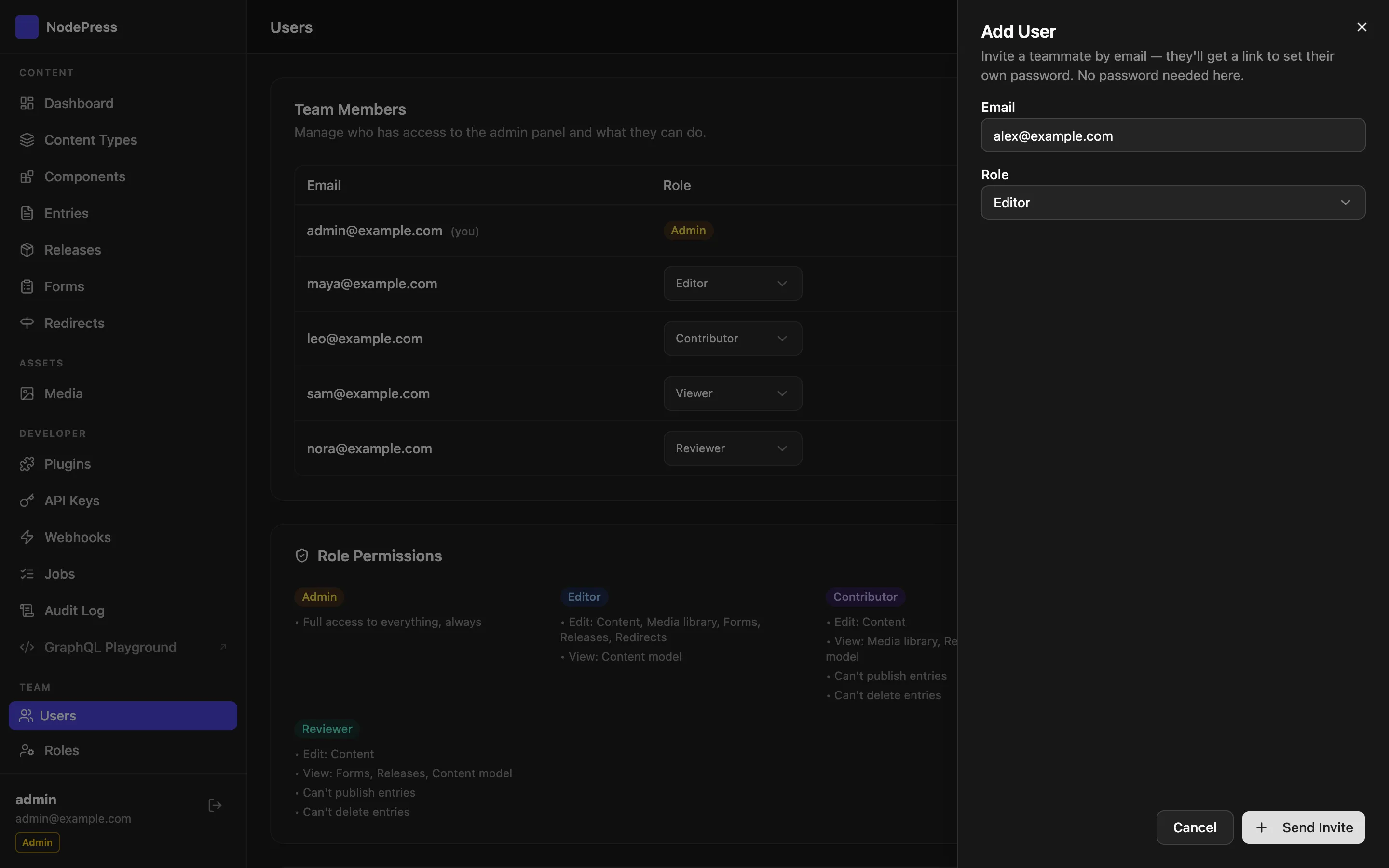
- Open Users and click Add user. A panel opens on the right.
- Enter the email address, pick a role and click Send Invite.
- The user gets a “Set your password” email with a link to
/reset-password. They choose their own password there and can then sign in.
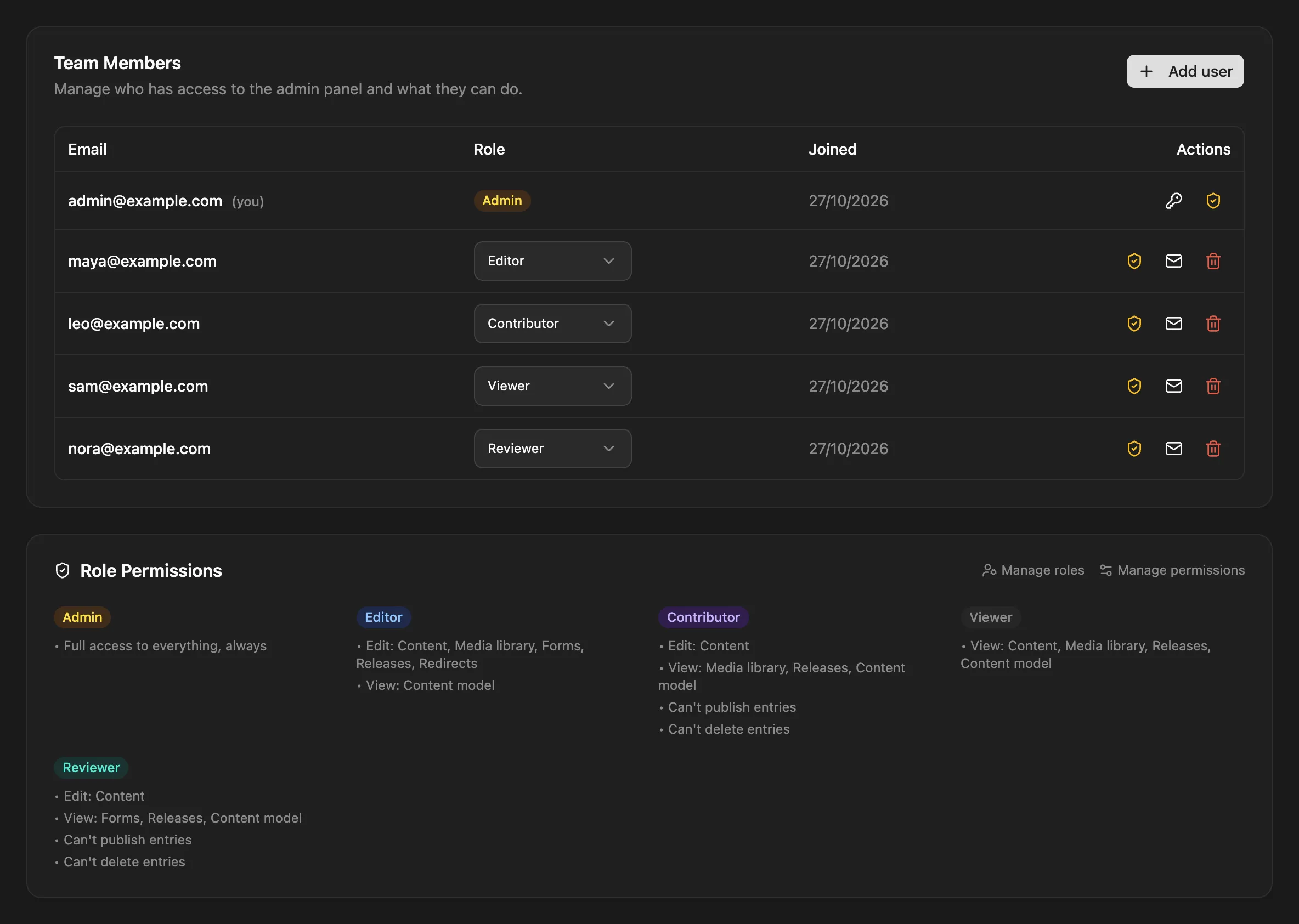
The Role Permissions card below the list shows what each role can use right now, custom roles included. It follows the permissions page, and only admins see it.
The invite link is valid for 7 days. Sending a new invite (the Send invitation email button on a user’s row) makes any earlier link stop working.
The same thing through the API (admin JWT):
curl -X POST https://cms.example.com/api/users \ -H "Authorization: Bearer $TOKEN" \ -H "Content-Type: application/json" \ -d '{ "email": "sam@example.com", "role": "editor" }'{ "id": 4, "email": "sam@example.com", "role": "editor", "createdAt": "2026-10-26T09:00:00.000Z", "updatedAt": "2026-10-26T09:00:00.000Z", "invited": true, "inviteUrl": "https://cms.example.com/reset-password?token=…"}role defaults to editor. It can be a built-in role or the name of an existing custom role; an unknown role is refused with 400. An email that’s already registered gets 409. inviteUrl is only present when the link wasn’t (or couldn’t be) emailed, as described above.
Changing and removing users
Section titled “Changing and removing users”On the Users page you can change a user’s role from the role dropdown on their row, or delete the user.
- The change applies on the user’s next request. Their existing login stays valid.
- You can’t delete your own account.
- You can’t delete or demote the last admin. Promote someone else first.
- Deleting a user stops their login tokens from working right away.
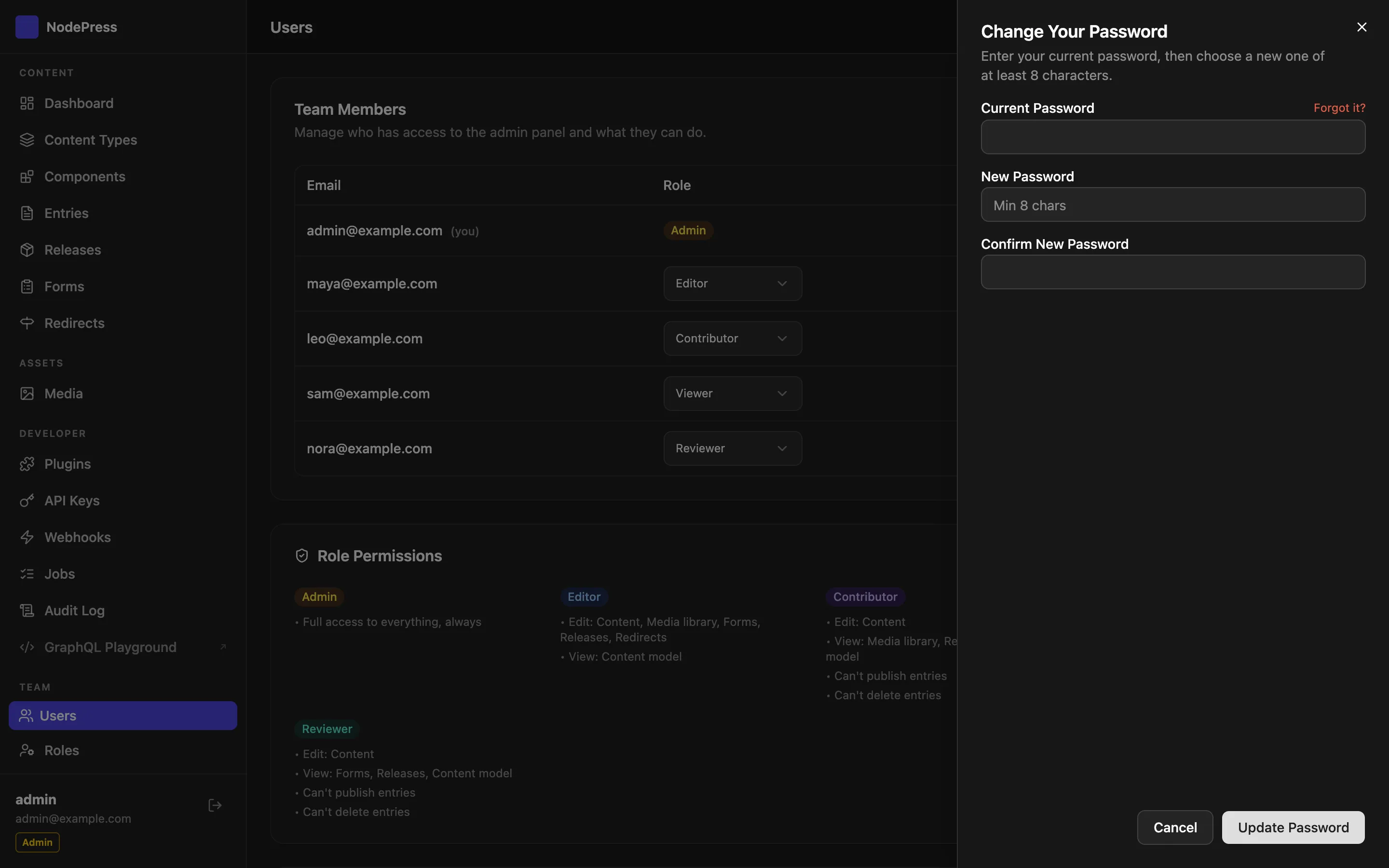
- To change your own password, click the key icon on your row. Forgot the current one? Forgot it? in the same panel emails you a reset link (valid 15 minutes); if email isn’t set up, another admin can send you a new invite link, or run
npm run reset-passwordon the server (on a Docker install, see Reset the admin password on the server). - Someone who isn’t an admin can’t give the
adminrole, change, delete or re-invite an admin, or change their own role.
Built-in roles
Section titled “Built-in roles”| Role | What it’s for |
|---|---|
admin |
Full access, always. Users, roles, permissions, settings, API keys, webhooks, plugins and the audit log |
editor |
Creates, edits, publishes and deletes content; manages media, forms, releases and redirects |
contributor |
Creates and edits content, but can’t publish or delete it; sees media and releases |
viewer |
Read-only access to content, media and releases |
That’s what each role gets out of the box. Apart from admin, every role’s access is a set of permissions you can change: give editors the jobs queue, take forms away from them, let contributors publish one content type.
A contributor’s way to get content published is to submit it for review. In the editor that’s moving the entry to pending_review; someone who can publish then publishes it. See Entries.
Some things are admin-only whatever the permissions say: managing roles and permissions, installing plugins and restarting the server, and permanently deleting entries from the trash. Admins also bypass field access rules.
Custom roles
Section titled “Custom roles”A custom role is a named role, such as reviewer or blog_editor, with its own permissions. It is based on one of editor, contributor or viewer (never admin). The base role is its starting point: a new custom role has its base role’s access to every module and content type until you change it on the permissions page.
To create one, open Users → Roles and click New role.
| Field | Meaning |
|---|---|
| Label | The name people see, such as “Blog editor” |
| Name | The stored name, in snake_case (blog_editor). Users and permissions refer to it, so it can’t be changed later. |
| Based on | editor, contributor or viewer |
| Description | Optional, what the role is for |
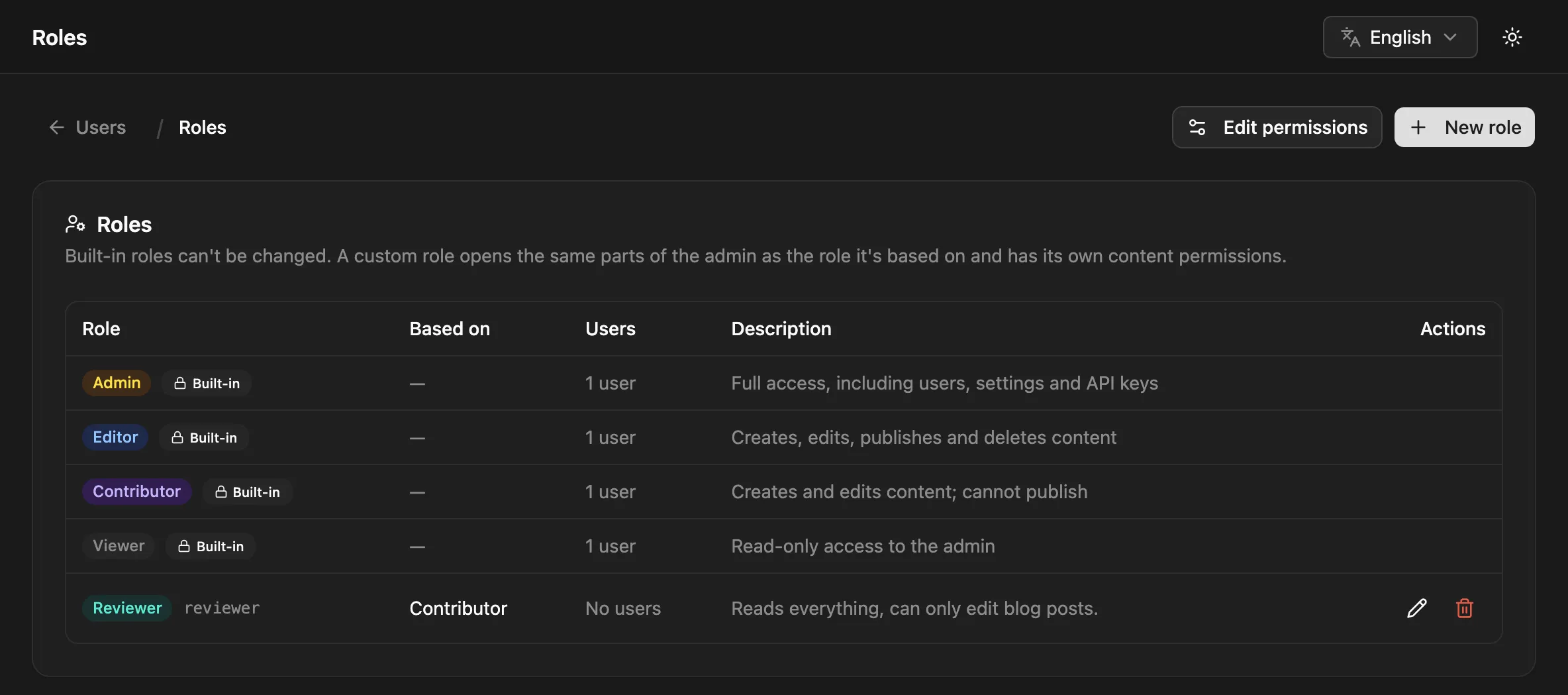
Then assign the role to users like any other, and adjust its access under Edit permissions.
- Changing the base role switches every module you haven’t changed for the role to the new base role’s level. For content: if you never customized the role’s default content permissions, they switch to the new base role’s defaults; if you did, they’re kept, and the admin tells you so.
- Deleting a role is refused while users still have it (
409, with the number of users). Give them another role first. The role’s permissions are deleted with it. - If a custom role is deleted out from under a user (for example directly in the database), that user is treated as a
viewer. - Built-in roles can’t be changed or deleted, and a custom role can’t use a built-in name.
Roles API
Section titled “Roles API”All routes need an admin JWT, except GET /api/roles, which roles with Users → View can call too.
| Method | Path | Body | What it does |
|---|---|---|---|
GET |
/api/roles |
Built-in roles (builtIn: true) then custom roles, each with userCount |
|
POST |
/api/roles |
{ name, label, baseRole, description? } |
Creates a custom role |
PUT |
/api/roles/:name |
{ label?, baseRole?, description? } |
Updates a custom role; the response has warnings when customized permissions were kept |
DELETE |
/api/roles/:name |
Deletes a custom role, or 409 while it’s assigned |
Users API
Section titled “Users API”Admins can call every route; other roles need the level shown.
| Method | Path | Who | What it does |
|---|---|---|---|
GET |
/api/users |
Users → View | Lists users (id, email, role, createdAt, updatedAt) |
POST |
/api/users |
Users → Edit | Invites a user: { email, role? } |
PUT |
/api/users/:id/role |
Users → Edit | Changes a user’s role: { role } |
POST |
/api/users/:id/invite |
Users → Edit | Sends a new invite link |
DELETE |
/api/users/:id |
Users → Edit | Deletes a user |
PUT |
/api/users/me/password |
any signed-in user | Changes your own password: { currentPassword, newPassword } (at least 8 characters). Signs out your other sessions and voids open reset links; 5 attempts per minute |
Single sign-on users
Section titled “Single sign-on users”With SSO, users can also be created on their first sign-in, and their role can follow their groups at the identity provider.